
04 / Electrical
Electrical drawings and project documentation
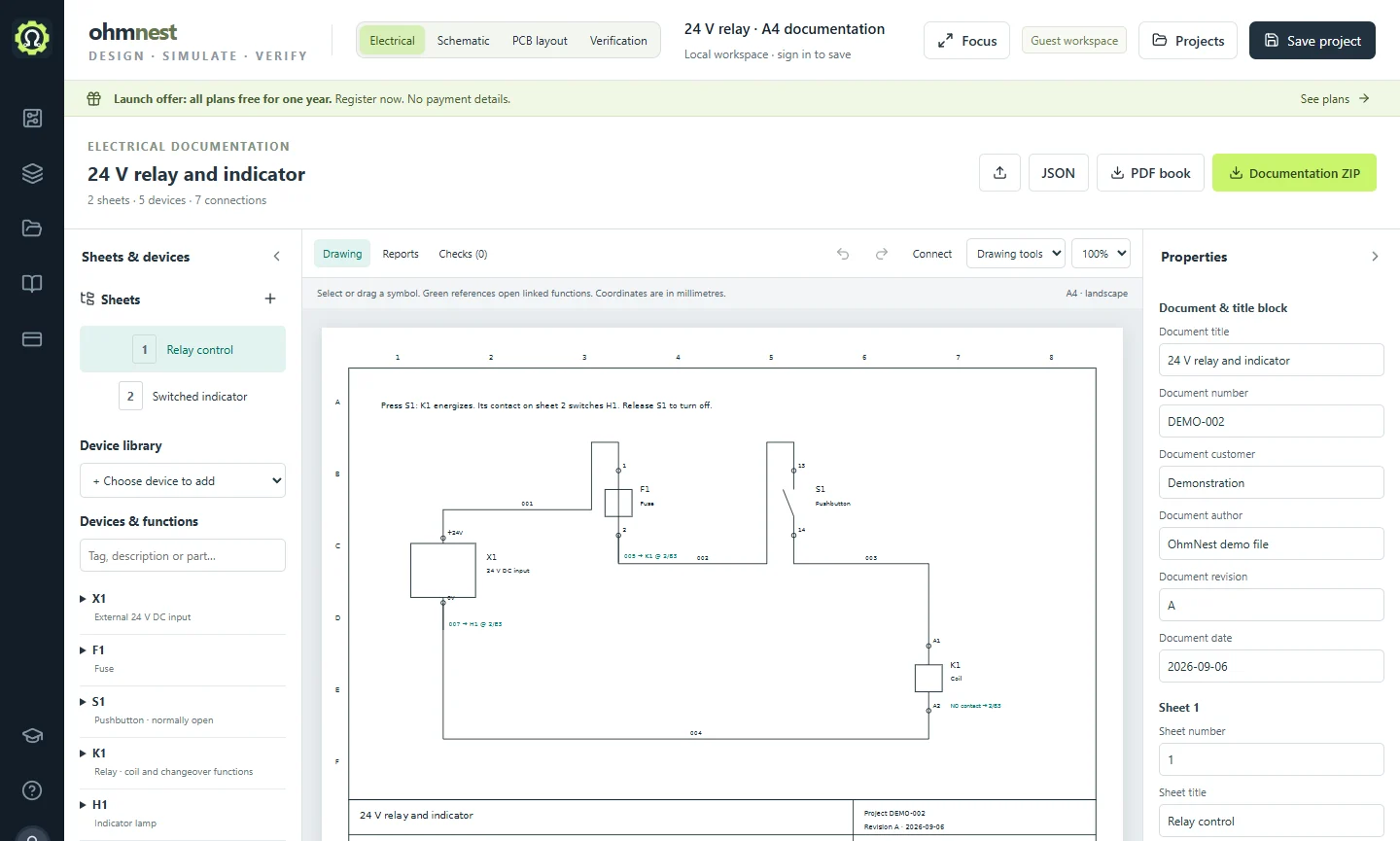
Use the Electrical workspace for documentation that spans several sheets. Organize devices and connections alongside the drawings so you can produce useful project reports.
What you can do
- Arrange electrical symbols on project sheets with drawing titles and revision information.
- Organize device tags, terminals, wires and cross-references.
- Inspect connections and produce documentation reports from the project data.
- Start from an electrical demo and follow the documentation tutorial through its exports.
Keep building
01 / Schematic
Draw a circuit
Draw electronic circuit diagrams online. Place components, connect terminals, label nets and keep editable OhmNest projects.
02 / SimulationSimulate and measure
Simulate circuits online with transient, DC and AC analysis. Explore waveforms using an oscilloscope, function generator, multimeter and Bode plot.
03 / PCB layoutLay out a PCB
Move from an electronic schematic to PCB layout in OhmNest. Place footprints, route tracks, inspect design rules and export manufacturing files.