
03 / PCB layout
PCB design connected to your schematic
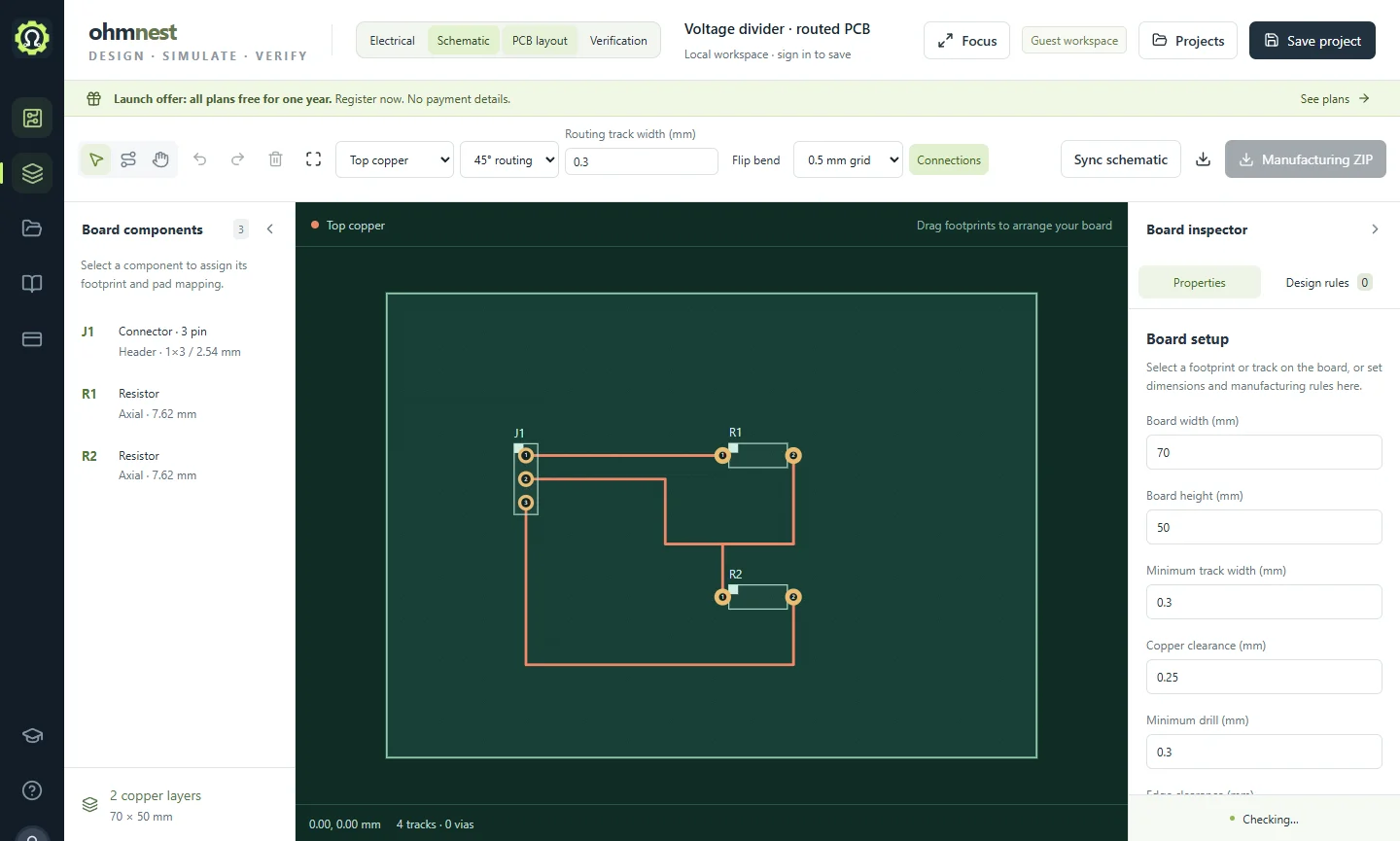
Keep the schematic and board together. Assign footprints, position components and route copper connections, then inspect the board before exporting it.
What you can do
- Place footprints and work with board dimensions and a visible connection ratsnest.
- Route tracks across copper layers and add vias where a connection changes layers.
- Check the board using design-rule diagnostics and inspect unrouted connections.
- Export Gerber and drill files, then review them in an independent manufacturing viewer.
Keep building
01 / Schematic
Draw a circuit
Draw electronic circuit diagrams online. Place components, connect terminals, label nets and keep editable OhmNest projects.
02 / SimulationSimulate and measure
Simulate circuits online with transient, DC and AC analysis. Explore waveforms using an oscilloscope, function generator, multimeter and Bode plot.
04 / ElectricalDocument the design
Create electrical drawings and documentation in OhmNest. Organize sheets, devices, terminals and wires, then produce project reports and drawing exports.