
01 / Schematic
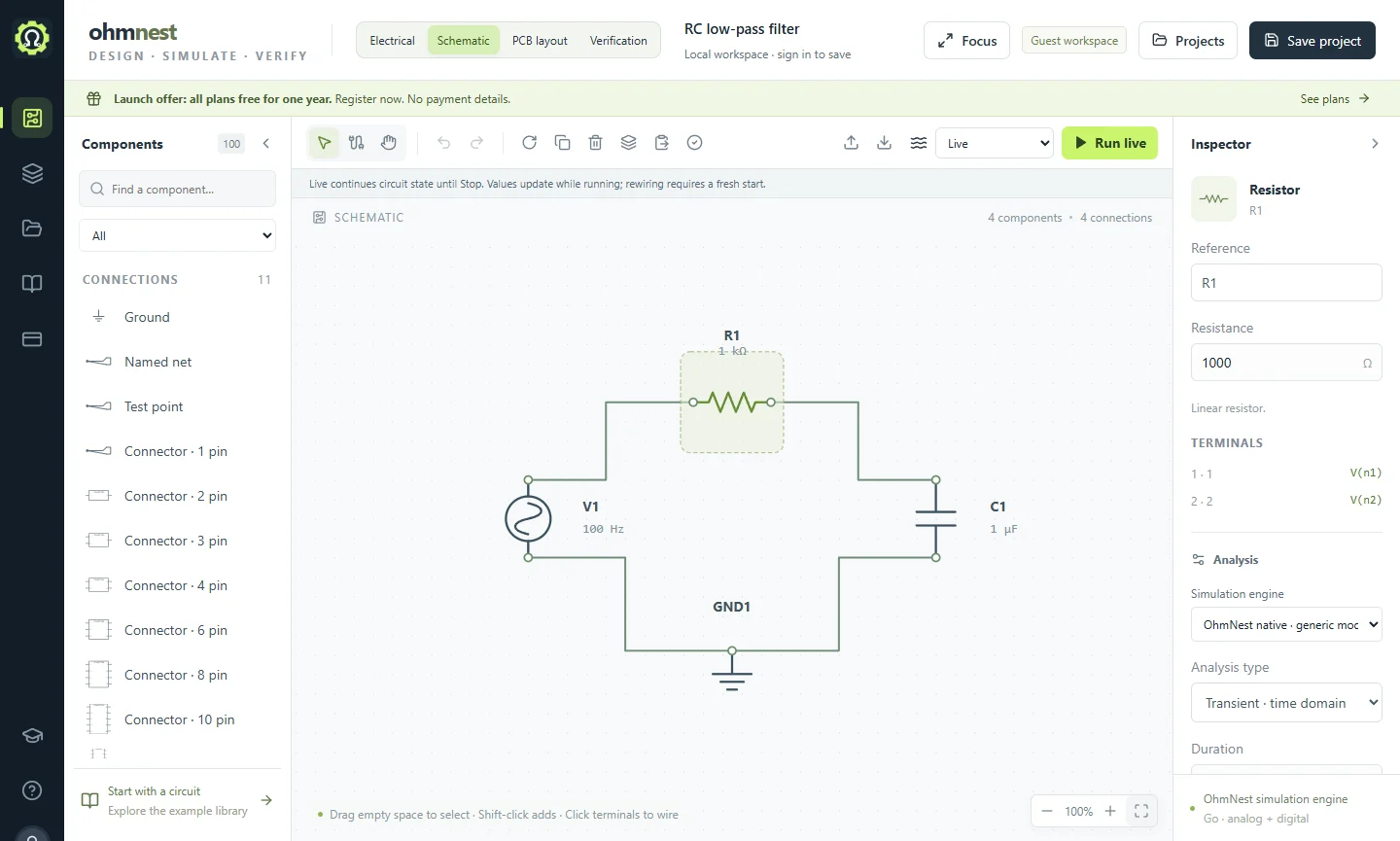
Circuit diagram software, in your browser
Start with a blank sheet or an example circuit. Place components from the library, wire their terminals and edit values with engineering units. Your schematic stays connected to simulation and PCB layout.
What you can do
- Search the component library, rotate parts and connect terminal to terminal.
- Use named nets, connectors and test points to make larger circuits easier to read.
- Undo edits, align selections, collapse sidebars and use focus mode for a larger drawing area.
- Export circuit JSON for a local copy, or sign in to save projects online.
Keep building
02 / Simulation
Simulate and measure
Simulate circuits online with transient, DC and AC analysis. Explore waveforms using an oscilloscope, function generator, multimeter and Bode plot.
03 / PCB layoutLay out a PCB
Move from an electronic schematic to PCB layout in OhmNest. Place footprints, route tracks, inspect design rules and export manufacturing files.
04 / ElectricalDocument the design
Create electrical drawings and documentation in OhmNest. Organize sheets, devices, terminals and wires, then produce project reports and drawing exports.